Configuring Tags
Tags are short labels — “Customer Service”, “Reliability”, “Great Value” — that customers can attach to their review with one tap. They turn free-text feedback into something you can measure.
Where tags appear
- On the review page — as the optional “What stood out to you?” question. Customers pick any that apply, or skip.
- In your dashboard — attached to each review, and aggregated in Insights so you can see what customers praise, not just how much.
Choosing good tags
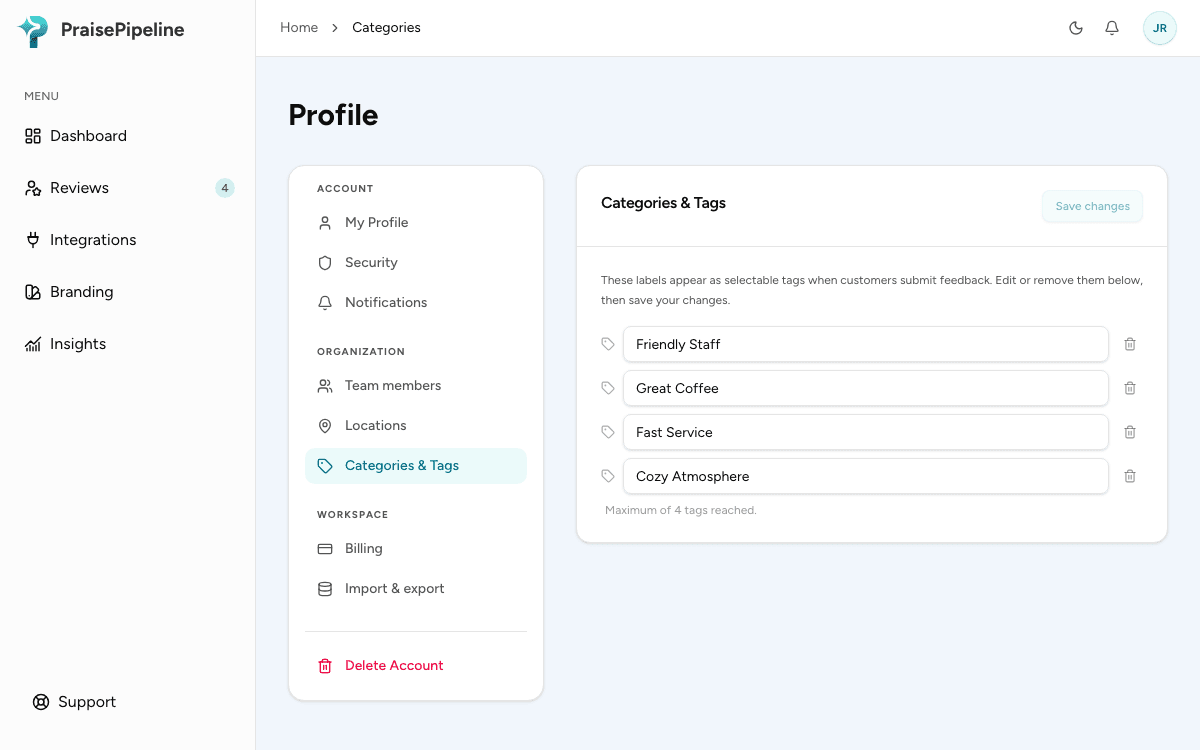
- You can set up to four. That cap is deliberate — a short list keeps the review page fast and your analytics focused.
- Name the things you act on. If “Wait Time” scoring badly would change something in your business, it’s a good tag.
- Keep them positive-neutral. “Customer Service” works for praise and criticism alike; “Slow Support” doesn’t.
Managing tags
Edit your tag list under Profile → Categories & Tags in the dashboard. Changes apply to new reviews — existing reviews keep the tags they were submitted with, so your historical analytics stay honest.
If you remove all tags, the tag question simply disappears from the review page and the flow becomes one question shorter.
Last updated on