Connecting Google
Connecting Google takes one field: your Google Place ID. It’s saved on your location, so the review page knows which Google listing to send customers to.
Locations are admin-only. If you can’t open Profile → Locations, ask an organization admin to add your Place ID.
Setup
- In the dashboard, go to Profile → Locations.
- In your location’s Google Place ID field, paste your Place ID. Don’t have it yet? Use the Look up a Place ID link on the page, or see Finding your Place ID.
- Click Save changes.
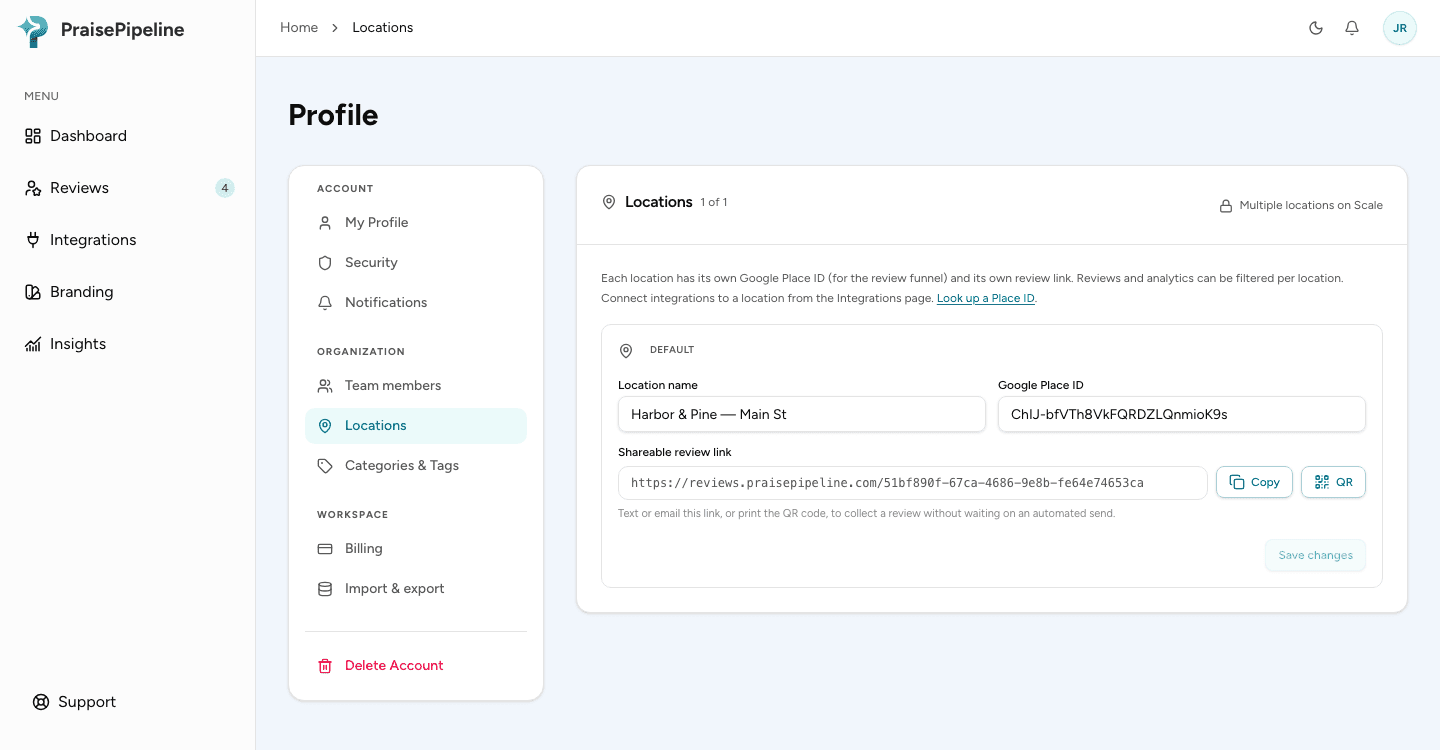
That’s it — from the next review onward, customers see the Google invitation after submitting.
If you run more than one location, each one has its own Place ID field, so each sends customers to its own Google listing. See Multiple locations.
Turning it off
Clearing the Place ID and saving disables the Google step for that location; the review page simply ends with a thank-you instead. Reviews are always collected either way.
Last updated on