The Review Page
When a customer clicks the link in their review request email, they land on your review page at reviews.praisepipeline.com — a focused, one-question-at-a-time flow designed to be finished in about a minute.
The flow
1. Rating
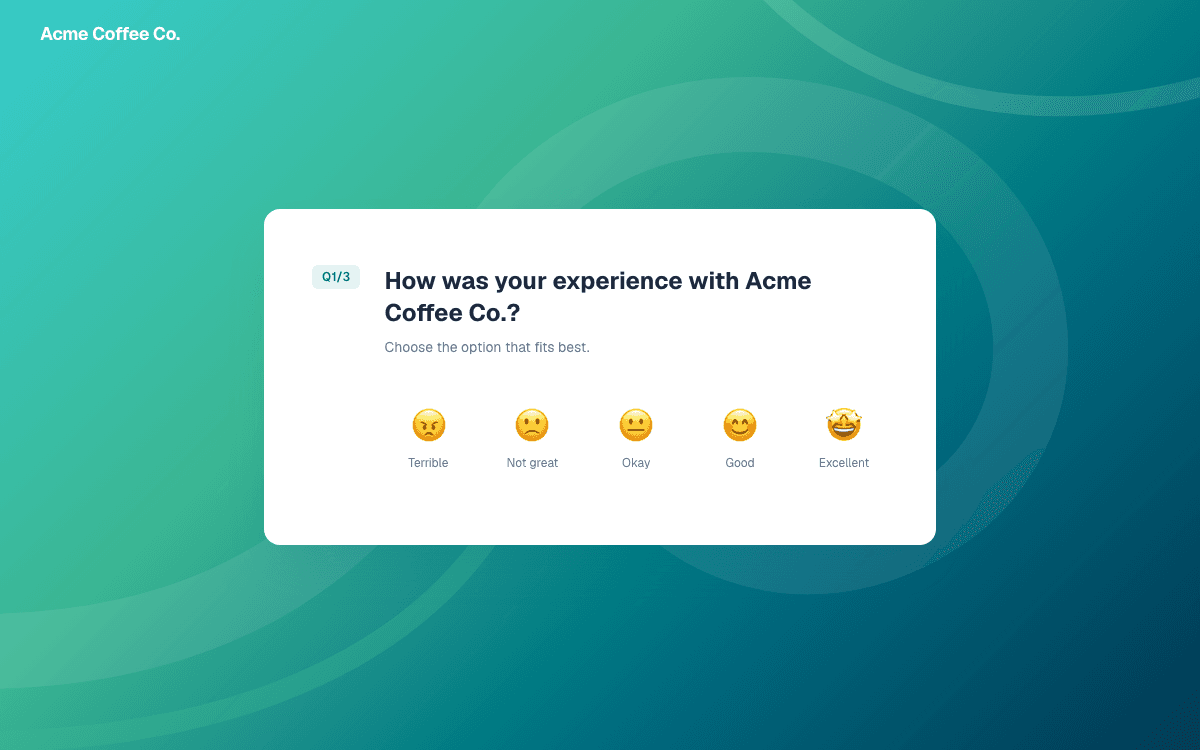
“How was your experience with your company?” — answered with a single tap on a five-point scale from Terrible to Excellent. Picking one advances automatically.
2. What stood out (optional)
Your configured tags appear as tappable chips — “Customer Service”, “Great Value”, and so on. Customers can pick any number, or skip the question entirely. If you haven’t configured tags, this step is skipped automatically.
3. In their own words
A free-text box for the review itself, plus an optional name field. Submitting saves the review to your dashboard immediately.
4. The Google invitation
If you’ve connected your Google Place ID, one final screen invites the customer to post the same review on Google — with their text already copied so it’s a one-click paste. See How the Google funnel works.
Good to know
- Reviews arrive in your dashboard with a pending status — nothing appears publicly until you approve it. See Moderation.
- The customer’s email from the review request is attached to their review automatically, so you can connect feedback to real customers.
- Skipping the Google step never loses the review — it’s already saved by then.