Moderation
Nothing your customers write goes public without your say-so. Every review arrives in the dashboard as pending and stays private until you decide.
Review statuses
| Status | Meaning |
|---|---|
| Pending | Just arrived — visible only to you and your team. |
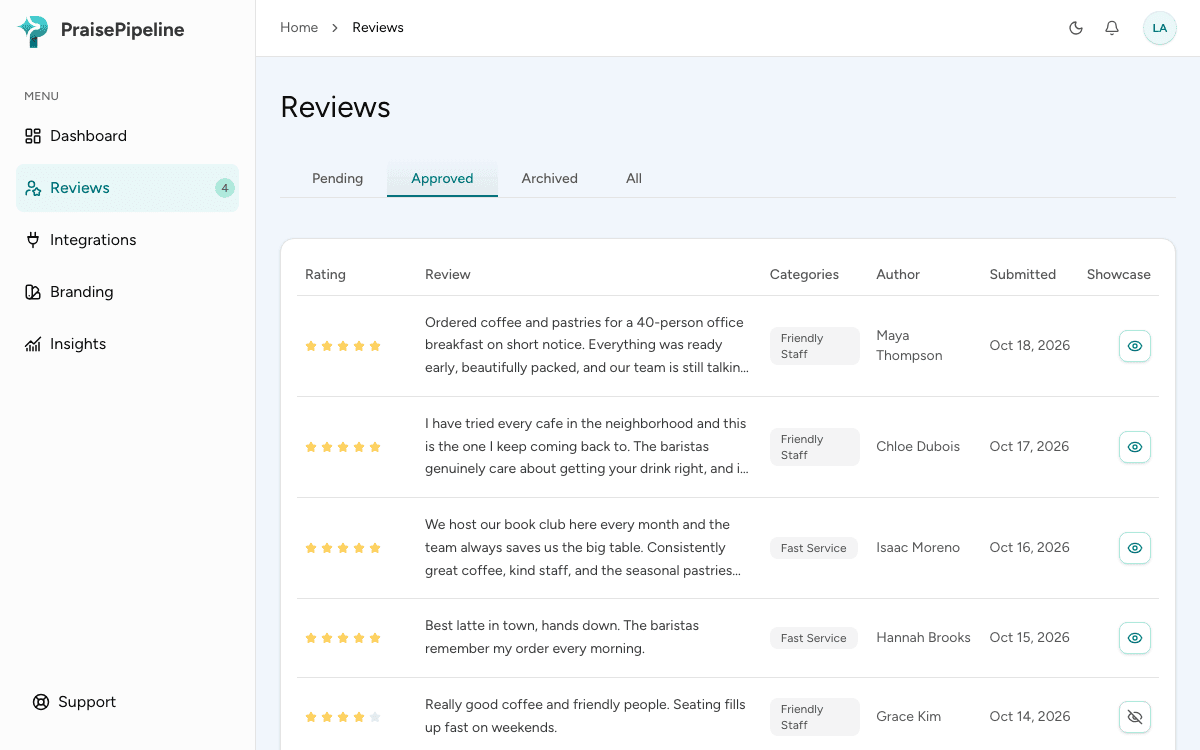
| Approved | Published — shown in your review showcase unless you hide it. |
| Rejected | Listed under Archived. Kept for your records and analytics, but never shown publicly. You can still approve it later. |
Moderating
From the dashboard’s reviews list you can read each review — rating, tags, text, and the customer’s email — and approve or reject it. New arrivals can also trigger notifications so you don’t have to keep checking.
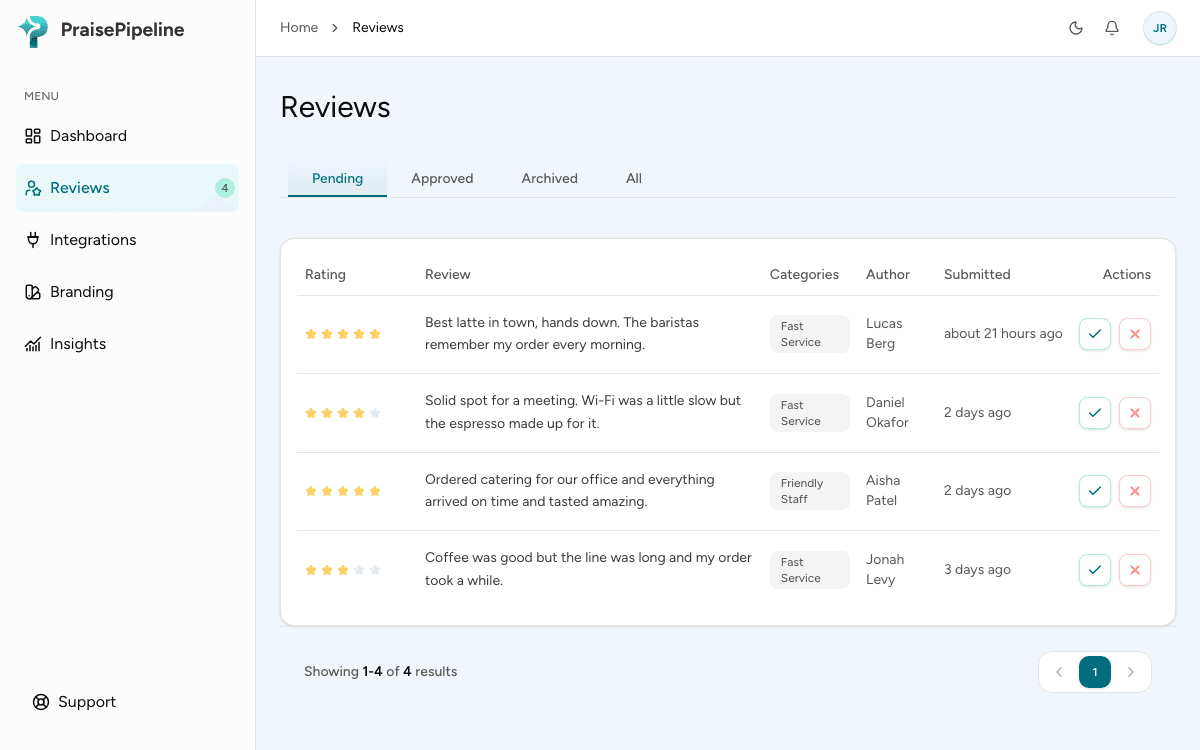
Changed your mind about a rejected review? Open it from the Archived tab and click Approve. It goes straight onto your showcase.
Choosing what your showcase shows
Approving a review puts it on your showcase. To take one off again without un-approving it (say, to make room for newer reviews or to retire an older one), hide it:
- On the Approved tab, click the eye icon on a review. A crossed-out eye means it’s hidden.
- Or open the review and turn off Showcase.
A hidden review stays approved. It’s still under Approved, and it still counts toward your total reviews and average rating. It just isn’t shown on your website, and it isn’t included in the dashboard’s Displayed count. Click the icon again to bring it back. Your showcase updates automatically either way.
What moderation doesn’t affect
- Google reviews — the Google funnel is between your customer and Google. Reviews posted there are managed from your Google Business Profile, not PraisePipeline.
- Analytics — Insights reflect everything customers submit, including reviews you don’t publish. Your metrics stay honest even if your review showcase shows only the highlights.