Exporting Your Data
Your reviews are yours. You can export them at any time, no questions asked.
How to export
- Go to Profile → Import & export in the dashboard.
- Download your reviews as a CSV file — ratings, review text, tags, reviewer details, statuses, and timestamps.
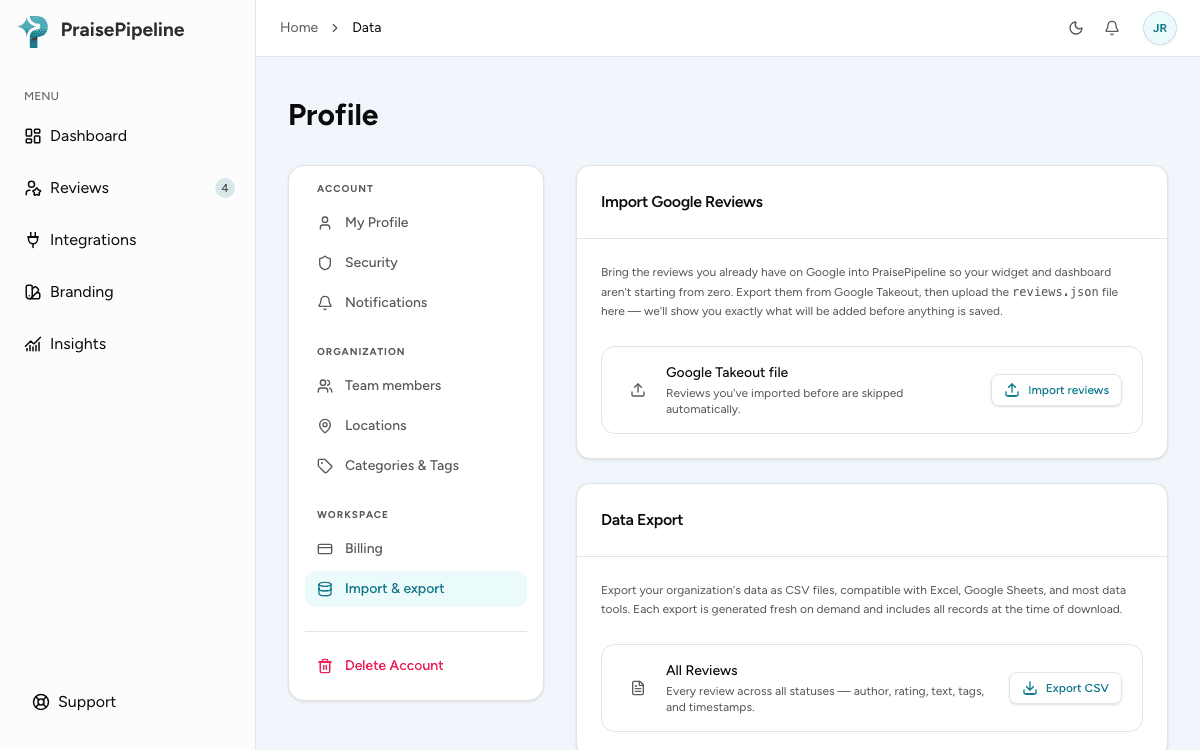
Data export is an admin-only action. If you don’t see it, ask an organization admin to run the export for you.
The CSV opens in Excel, Google Sheets, or anything else that reads spreadsheets — useful for deeper analysis, backups, or importing into other tools.
Looking to bring reviews in rather than out? See Importing Google reviews.
Before deleting your account
If you’re closing your account, export first — see Deleting your account. Deletion is permanent and includes your review history.
Last updated on