Your Dashboard
A quick tour of what you see when you log in, and where everything lives.
The home view
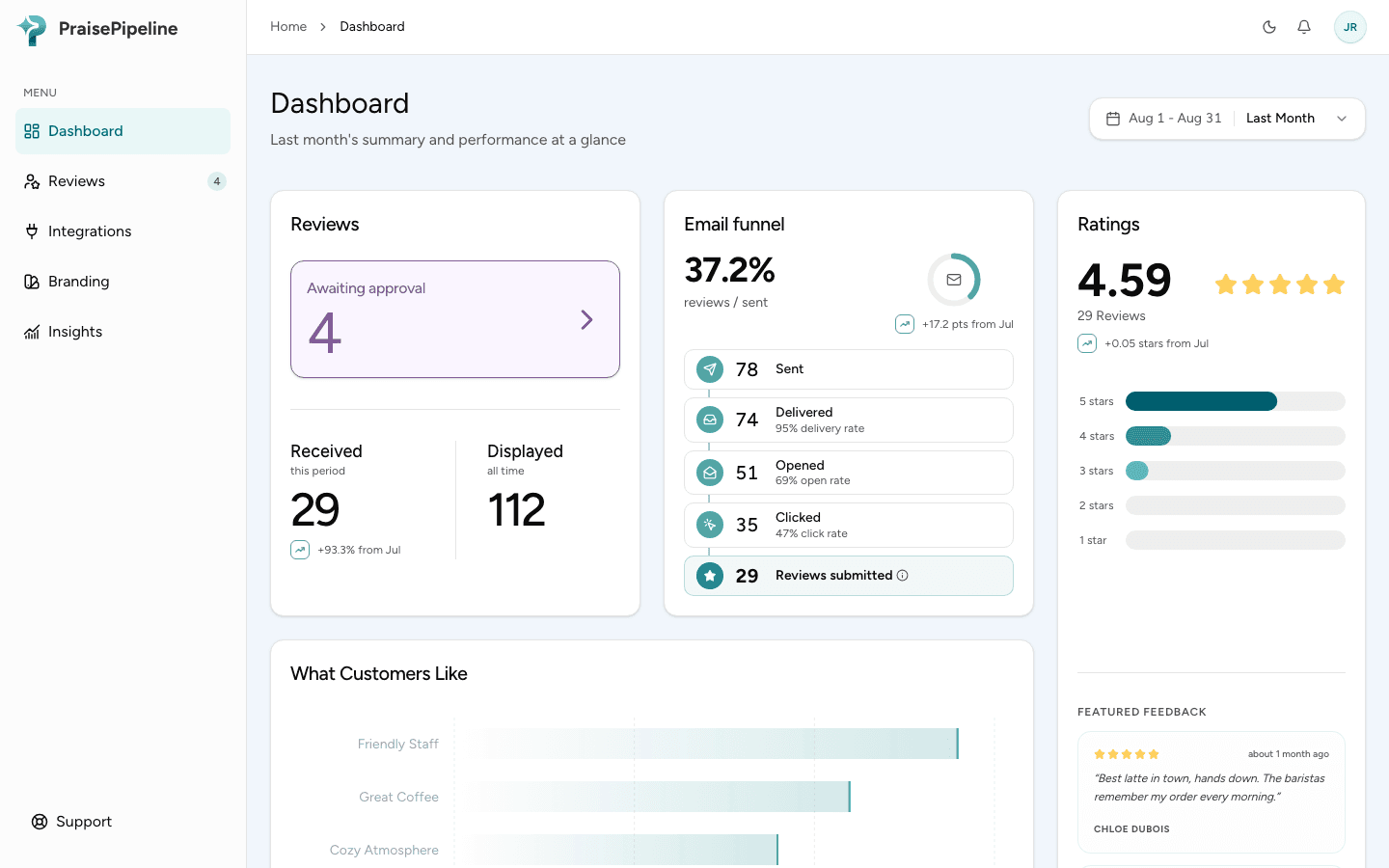
Your dashboard home is the at-a-glance picture of how reviews are going. Use the time-period selector at the top right to scope everything below it to a range (month to date, last month, last quarter, year to date, or last year). If you run more than one location, a location filter sits beside it. You’ll find:
- A review summary — your average rating and how many reviews came in for the selected period.
- Emails sent vs. reviews received — how many review requests went out and how many turned into reviews, so you can see your response rate at a glance.
- Rating breakdown — the split across five, four, three, two, and one star.
- What customers like — your tags ranked by how often customers pick them.
- Recent and pending reviews — the latest arrivals, with anything awaiting your approval called out.
Finding your way around
| I want to… | Go to |
|---|---|
| Approve or reject reviews | The reviews list — see Moderation |
| See trends and analytics | Insights |
| Style and embed the review showcase | Branding (admin-only) — see Embedding the showcase |
| Connect a store or tool | Integrations — see Integrate your tools |
| Set your Google Place ID | Profile → Locations (admin-only) — see Connecting Google |
| Edit tags | Profile → Categories & Tags (editing is admin-only) |
| Invite teammates | Profile → Team members (admin-only) |
| Set notifications | Profile → Notifications |
| Import or export your data | Profile → Import & export (admin-only) |
| Manage billing | Profile → Billing (admin-only) |
A note on live updates
New reviews appear on the dashboard as they arrive — you don’t need to refresh. Approving, rejecting, hiding or showing a review updates your public review showcase automatically too.
Last updated on