Embedding the Showcase
The review showcase displays your approved reviews on your own website — social proof that updates itself as new reviews come in.
Adding it to your site
- In the dashboard, go to Branding.
- Choose a card design and a layout — see Layouts & card designs — then click Save changes. Use Open full-screen preview to try them on a sample page first.
- Copy the embed code (Get embed code takes you straight to it) and paste it into your website’s HTML wherever you want reviews to appear.
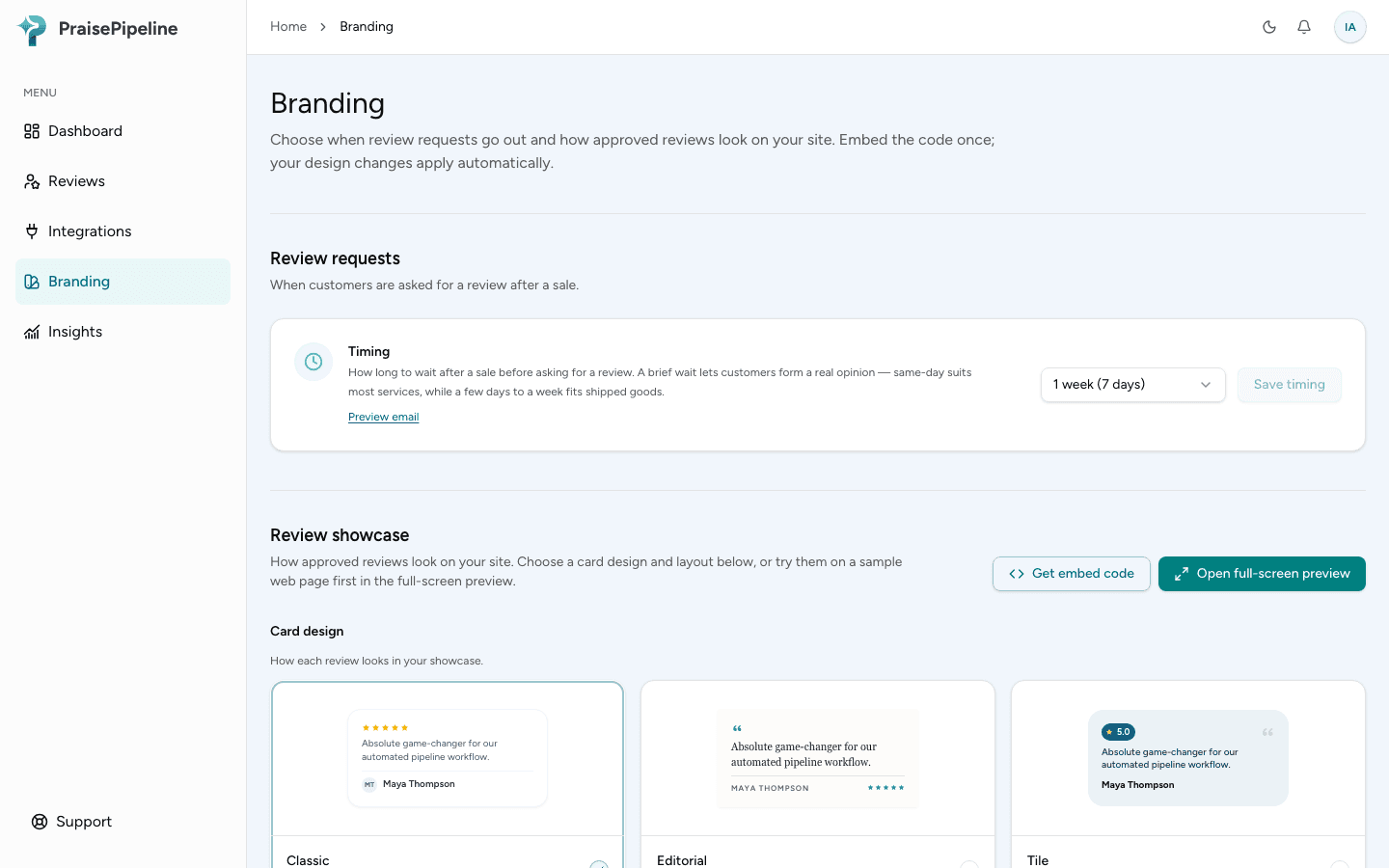
The embed code is a standard iframe, so it works on any platform that lets you add custom HTML — Webflow, WordPress, Squarespace, Shopify themes, or hand-written sites.
Before your first approved review
Until you’ve approved at least one review, your showcase asks visitors to be the first to share their experience, with a Leave a review button that opens your review page in a new tab. That way it’s never an empty box, and you can tell the embed code is working as soon as you paste it. As soon as you approve a review, it switches to showing your reviews on its own.
If you’d rather your site shows reviews from day one, get some approved before you add the embed code:
- Import your Google reviews — the quickest way, if you already have some on Google.
- Send your review link to a few recent customers.
- Approve any reviews waiting in moderation.
Branding reminds you of this in the Embed code section while you have no approved reviews.
Previewing before you publish
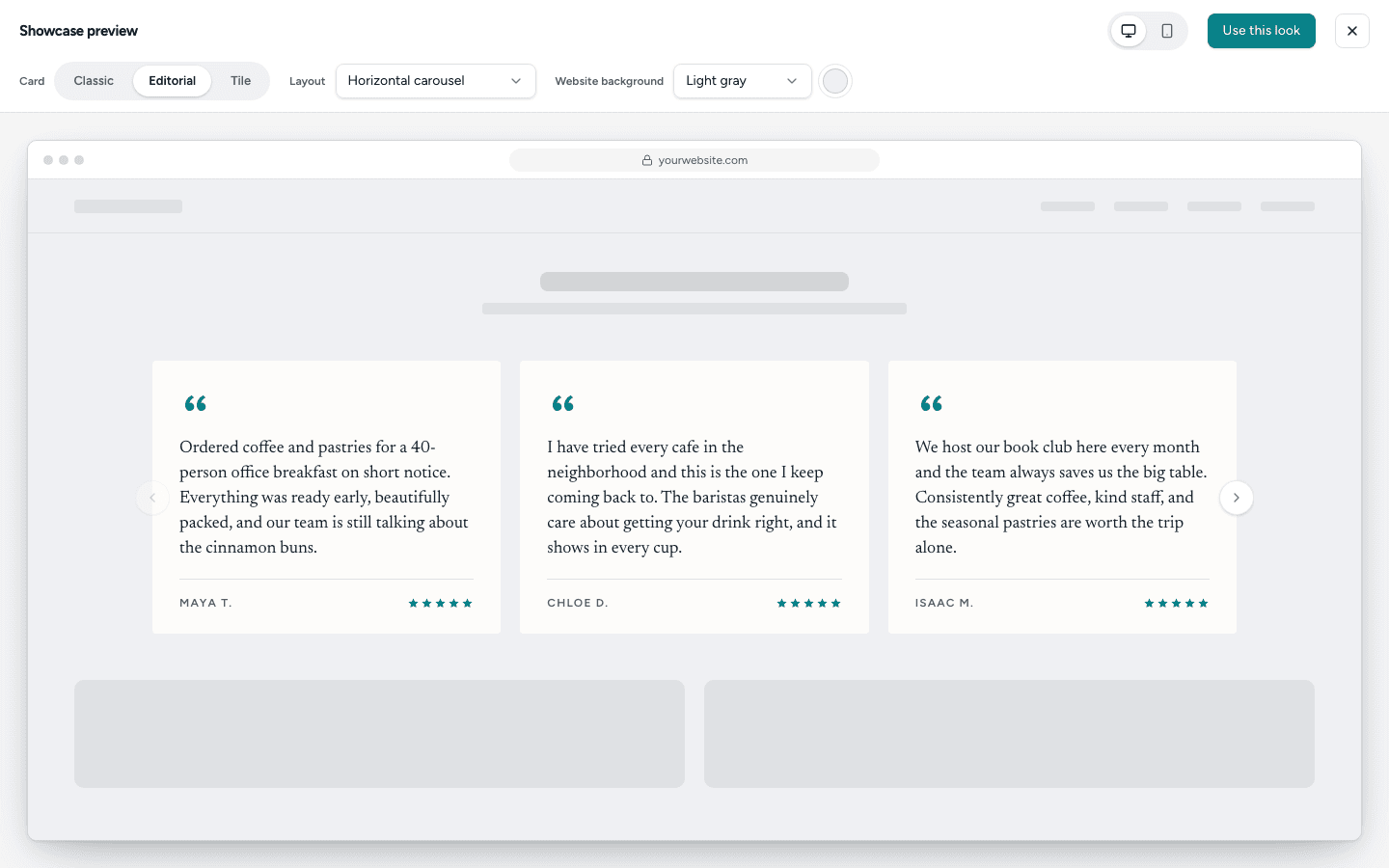
Open full-screen preview (at the top of the Review showcase section on Branding, or the expand icon on any layout) shows your showcase with your real approved reviews on a sample page. If you don’t have any yet, it fills in sample reviews so you can still judge the look. Only you see them, never your visitors, and No reviews shows what your visitors see today.
- Switch between card designs and layouts.
- Set the website background to a preset, or choose Custom to match your site’s exact color.
- Flip between desktop and mobile to see how it adapts to a phone.
Use this look saves that card design and layout straight to your site. The background is only for previewing — it’s never saved.
Your embed code never changes
Your card design and layout are saved to your account, not baked into the embed code. Change either on Branding and click Save changes (it appears as soon as you’ve changed something), and every page with your showcase updates on its next load. Add the embed code once — you’ll never need to replace it.
Good to know
- Only approved reviews appear, and you can hide any approved review you’d rather not show. See Moderation. Approve, reject, hide or show a review in the dashboard and the showcase updates automatically; no re-embedding needed.
- The review showcase is public and read-only. Visitors leave reviews on your review page, which the showcase links to only until your first review is approved.
- It adapts to the width it’s given: on a phone, carousels show one review at a time and the other layouts stack.
- On higher plans, the “Powered by PraisePipeline” line is removed automatically — see Removing branding.
- If your plan lapses, the showcase hides itself (it takes up no space on your page) until you resubscribe.